
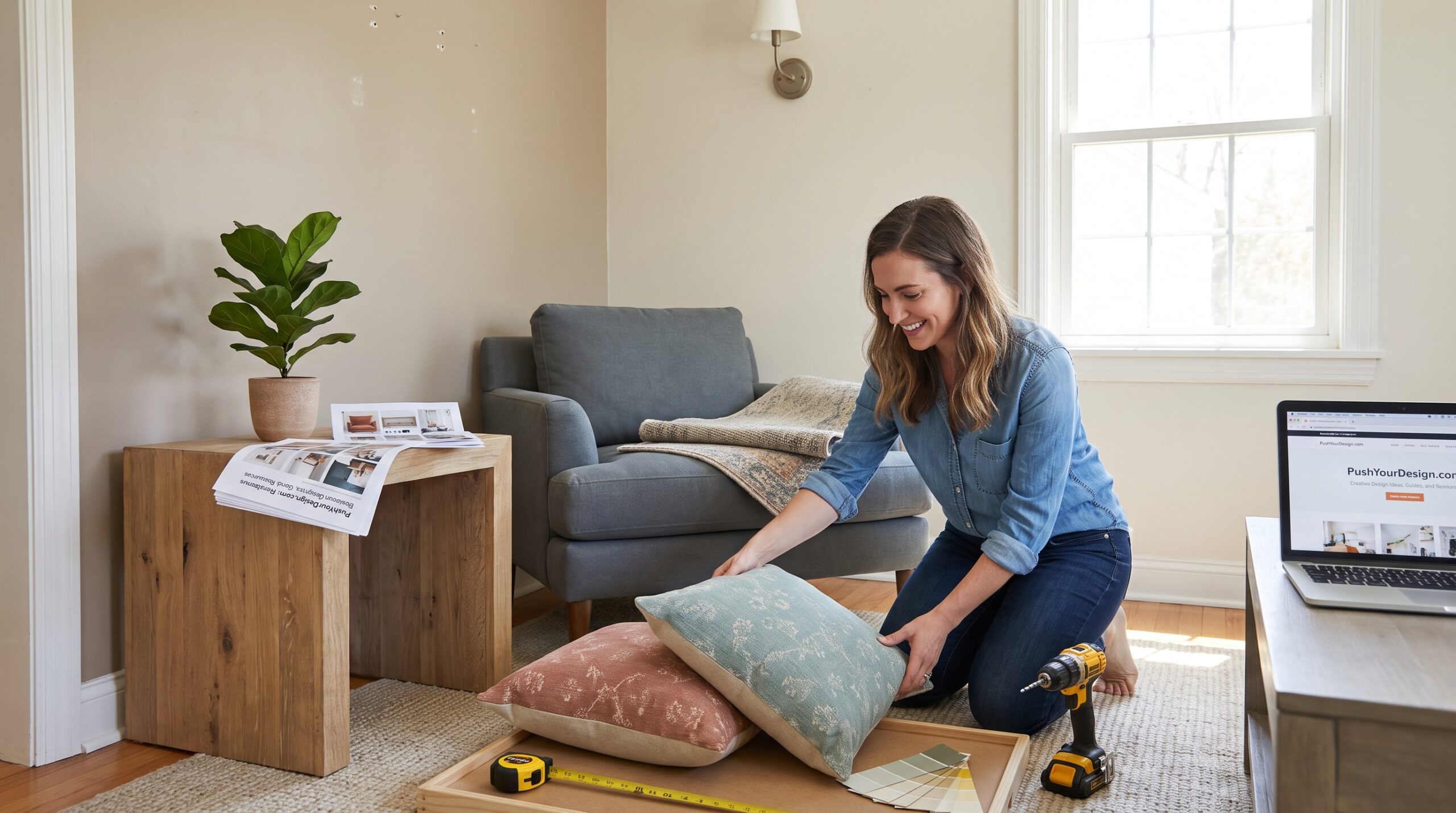
PushYourDesign.com helps homeowners and designers find practical design ideas, step‑by‑step guides, and free resources for real projects. The site collects interior decorating tips, smart home ideas, and quick DIY plans so readers can change a room in a weekend or build a durable skillset over months. This article summarizes what the platform offers, how to use its guides, eight fast project ideas, budgeting tactics, and realistic sourcing advice for people who want visible results without wasted time or money.
Table of Contents
ToggleKey Takeaways
- PushYourDesign.com offers practical design ideas and step-by-step guides that help both homeowners and designers achieve visible results quickly and affordably.
- Use PushYourDesign’s structured guides to audit your space, plan with mood boards and templates, then prototype before committing to purchases for efficient project execution.
- The platform provides eight weekend-friendly creative design projects that deliver immediate room transformations using accessible materials and tools.
- Smart budgeting is emphasized by investing in core furniture pieces while upcycling or DIYing accents to reduce costs without sacrificing style.
- Measure carefully and limit DIY to accents to avoid costly mistakes and maintain a professional appearance.
- PushYourDesign.com’s extensive resources and realistic advice empower users to develop lasting design skills and complete projects with confidence.
What PushYourDesign Offers — Categories, Audience, And Content You’ll Find
Fact: PushYourDesign.com catalogs practical design content across multiple categories to serve both DIY homeowners and professional creatives. The site focuses on interior decorating, small living rooms, American‑style homes, smart home ideas, and general home styling. Readers will find how‑to articles, trend overviews, tool walkthroughs, and design case studies aimed at people who want hands‑on change rather than abstract theory.
Context and specifics: the platform balances quick wins (weekend refreshes) with deeper learning paths. For someone needing a fast living‑room layout refresh, PushYourDesign offers room audits and storage strategies. For a designer wanting assets, the site links to curated resource packs and tool lists. To explore a broad catalog of assets and tools, the site page that highlights 50,000+ resources explains how to access templates, mockups, and palettes for real projects: resource hub overview.
Audience nuance: occasional readers are homeowners who want one‑room makeovers: regular visitors include designers and content creators who use downloadable assets and templates. The site also supports education: stepwise learning paths introduce composition, color theory, and systems thinking in design. For a curated set of creative resources and trend pieces, the site presents a central exploration page that frames topical updates and practical tools: design resource overview.
How To Use PushYourDesign Guides And Resources Effectively
Answer: Use the site’s structured guides, tool checklists, and learning paths in sequence, audit, plan, prototype, and execute. First, audit the space: measure, photograph, and list problems. Second, consult topic pages for targeted solutions (lighting, storage, color). Third, prototype with templates or mood‑board assets before buying.
Practical steps: the editorial how‑to page explains ways to find targeted inspiration and preserve a project scope under two weekends, which prevents scope creep and overspending: finding inspiration guide. When planning, the site’s digital asset page helps designers pull mockups and reusable palettes so they can test variations quickly: asset resource page.
Tool use and learning: PushYourDesign provides curated tool lists for prototyping and color selection. A smart approach is to start with low‑cost visual trials, temporary paint samples, taped furniture layouts, and digital mood boards, then commit to purchases for core pieces. The platform’s complete hub explains how to assemble a project kit of templates, plugins, and references that accelerates execution: complete hub overview.
Quick Projects: Eight Creative Design Ideas For Home, Backyard, And Small Spaces
Key insight: Eight tight projects deliver visible change and are scoped to fit a single weekend or a few evenings. The list below gives specific outcomes and immediate sensory details so readers know exactly what to expect.
- Small living‑room layout refresh, outcome: 20–30% more floor space felt by rearranging seating and adding built‑in storage. 2) American‑style cozy decor update, outcome: warm light, layered textiles, and a reclaimed‑wood side table for a wraparound feel. 3) Color palette swap, outcome: new mood via two accent paints and three textiles. 4) Layered lighting swap, outcome: brighter tasks and softer evenings by adding one task lamp and two dimmable accents. 5) DIY wall art, outcome: three large printed panels made from inexpensive giclée prints. 6) Textile switch, outcome: fresh texture via a rug and two cushion covers. 7) Furniture update, outcome: painted cabinet fronts and new knobs for a modern look. 8) Single‑corner makeover, outcome: a reading nook with a lamp, a small shelf, and a plant.
The site also links to a comprehensive design resources page that helps readers collect templates and mood‑board elements for these ideas: design resource support.
Step-By-Step Weekend Project Example
Answer: A weekend corner makeover delivers a usable reading nook in two days by following a fixed sequence: audit, clear, paint, light, furnish, and style.
Day 1 morning, audit and clear: measure a 2.2 × 1.2 m corner, photograph sightlines, and remove clutter. Midday, paint and repairs: apply two coats of a warm neutral sample to create a cozy backdrop. Afternoon, install lighting: mount a wall sconce and test dimmer settings. Evening, place the primary chair and rug to test flow.
Day 2 morning, finalize textiles: add a 1.2 × 1.8 m rug and two cushions. Midday, add storage: mount a slim floating shelf at 120 cm for books. Afternoon, style and test: add one plant and a reading lamp: sit and read for 20 minutes to verify comfort and sightlines. This stepwise pattern reflects several site guides that emphasize testing before buying and using affordable templates for layout planning: platform overview.
Materials, Tools, And Time Estimates For Quick Projects
Answer: Typical quick projects require basic materials and predictable time budgets so a homeowner can plan accurately.
Common materials and tools: sample paints (0.5 L each), painter’s tape, a drill, screws, a stud finder, peel‑and‑stick tiles, fabric for cushion covers, a 1.5 m × 2 m rug, basic hand tools (screwdriver, hammer), an LED sconce, and removable hooks. Many projects use peel‑and‑stick wallpaper or removable hooks to avoid permanent changes.
Time estimates: a corner makeover 8–12 hours across two days: a textile swap 2–3 hours: a lighting swap 3–5 hours (licensed electrician recommended for hardwired fixtures): a furniture repaint 6–10 hours including drying. For compact living solutions and space planning tips that back these estimates, a collection of space‑saving ideas validates practical layouts and compact furniture choices: space‑saving ideas.
Design On A Budget: Practical DIY, Upcycling, And Sourcing Tips
Fact: Spending smart matters, allocate budget to long‑use items and DIY the accents. PushYourDesign recommends investing in core pieces (sofa, mattress, main light) and sourcing smaller items secondhand or DIY.
Tactical rules: 1) Buy once, buy better: reserve ~60% of a room budget for core furniture. 2) Test color with 10 × 10 cm samples before committing to a gallon. 3) Upcycle visible surfaces: sand and paint a dresser instead of replacing it: new hardware costs under $25 and changes perception. 4) Use temporary products, peel‑and‑stick and modular furniture, for renters.
Sourcing channels and honesty: the site recommends specific marketplaces and asset bundles for low cost. For typography or UI‑level assets, designers can pair platform resources with typographic guidance to ensure legible, balanced layouts: typography guidance. Also, the platform’s affordability page explains how to combine premium asset packs with DIY finishes to reduce overall cost while keeping a professional result: affordable platform notes.
Warning and lesson learned: one renovation case study showed a homeowner who under‑measured rug sizes and had to repurchase: measure twice to avoid a second expense. Another lesson: over‑DIY can cheapen the look, keep DIY for accents and outsource structural changes.
Conclusion
Insight: PushYourDesign.com functions as a practical hub where readers convert ideas into executed projects without guesswork. The platform’s mix of resource packs, stepwise guides, and realistic budgets helps users deliver visible change in short timeframes while learning durable design skills. For anyone ready to start, the site’s central pages and supporting how‑to guides offer the templates and inspiration needed to move from idea to completed room.